Skip to Content
HR · Employee self-service portal

Give every employee an HR portal they will actually use.

Rawateb is an employee self-service portal for GCC businesses. Attendance, leave, payslips, loans and HR requests live in one place, so employees help themselves and HR stops chasing paperwork. Arabic, English and dark mode are built in.

Rawateb
Overview

Everything it does, in detail.

Every capability below is part of the platform you get on day one.

🏠

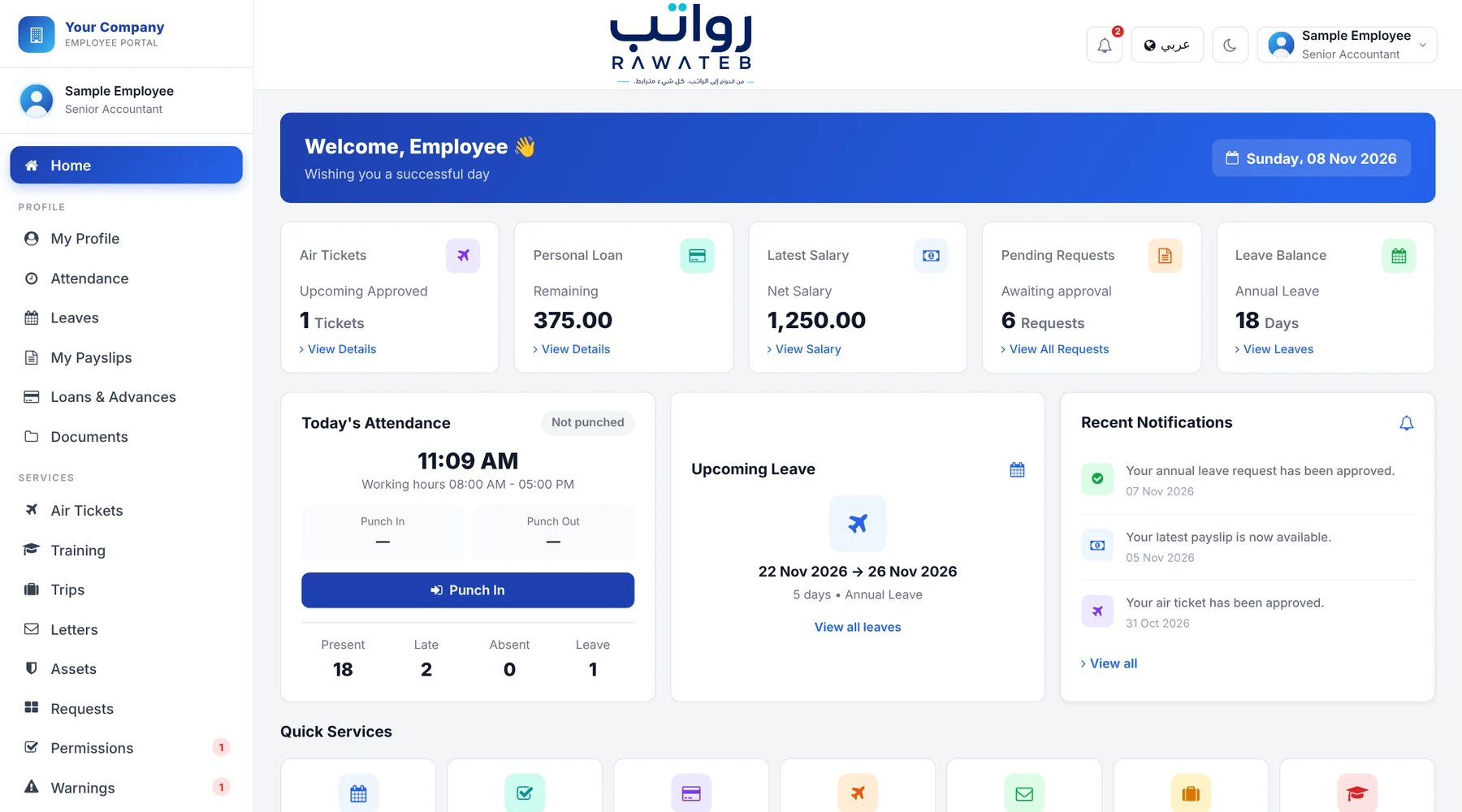
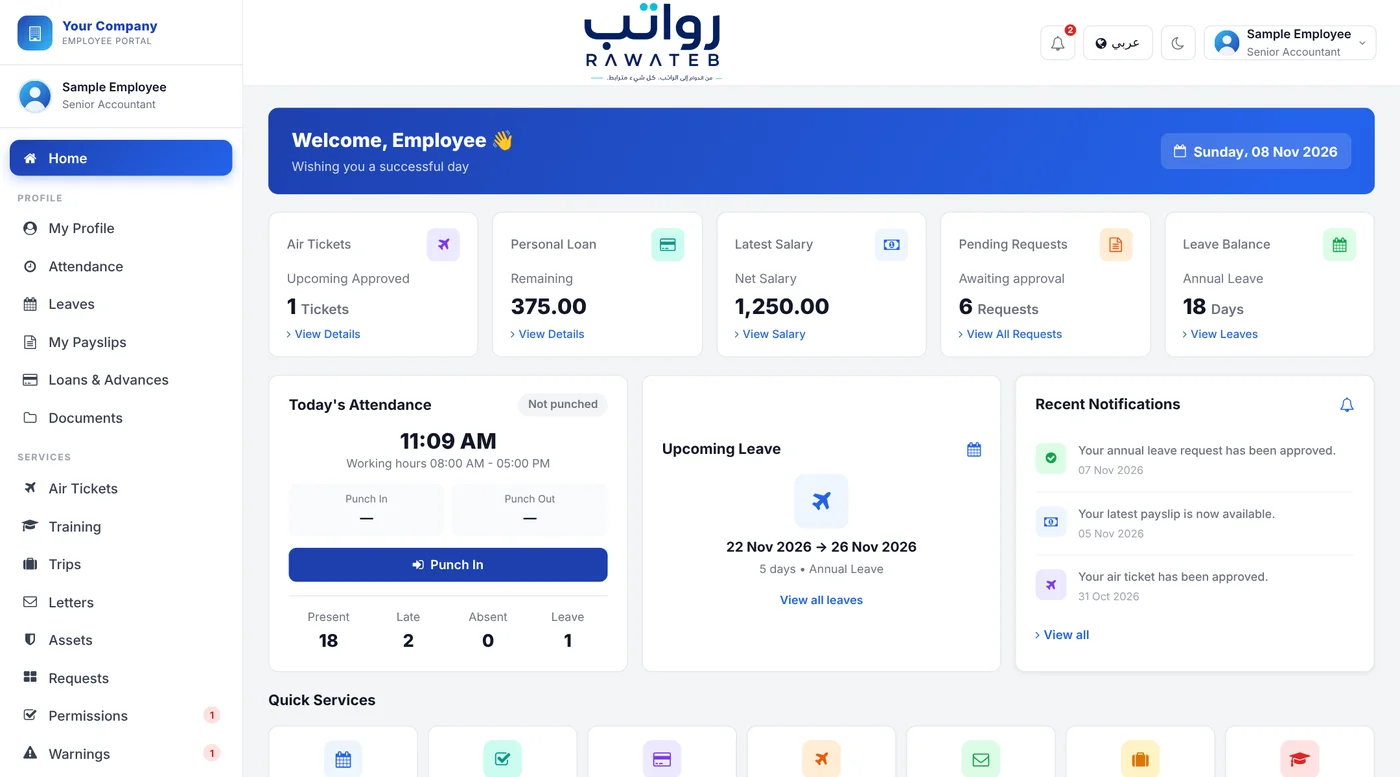
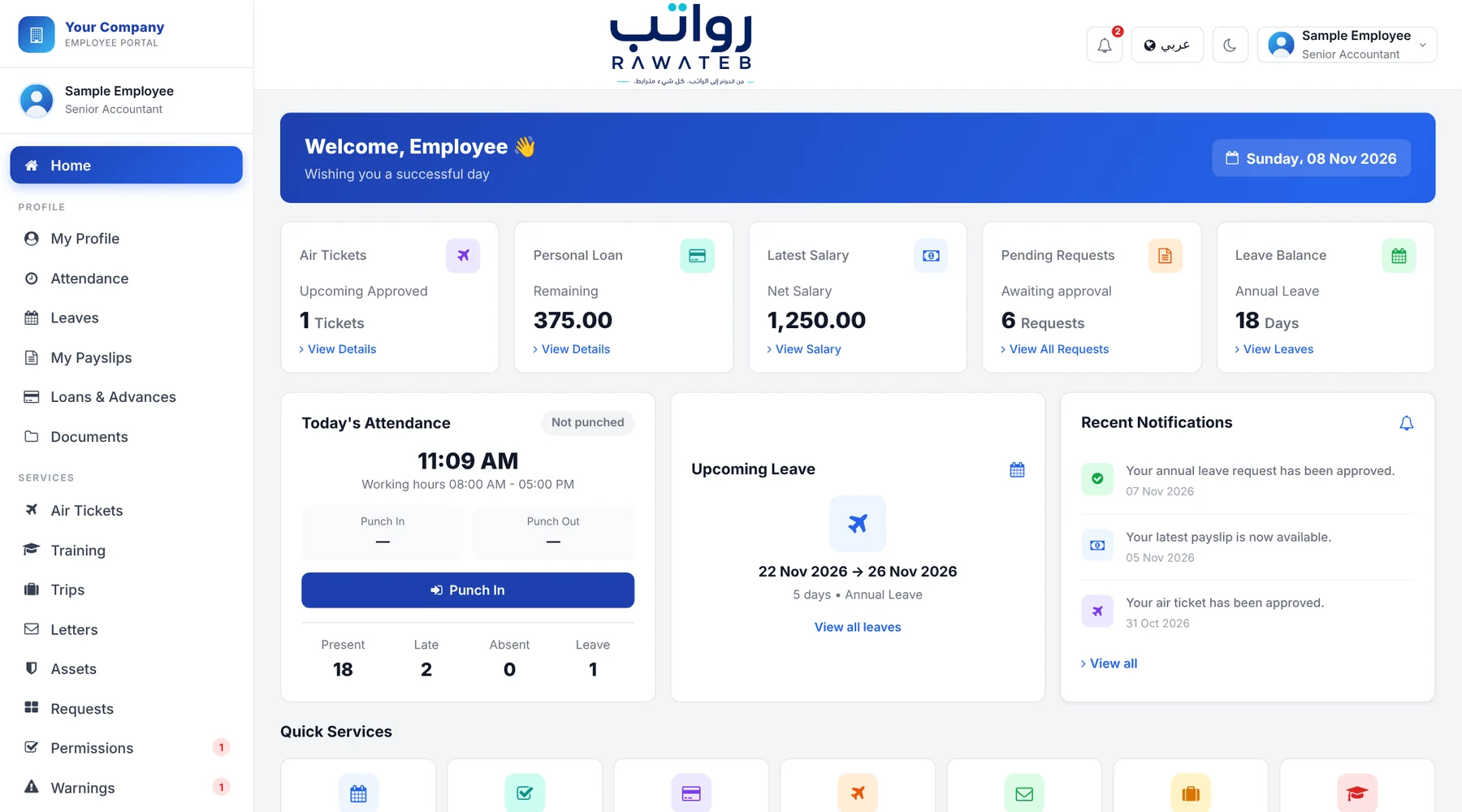
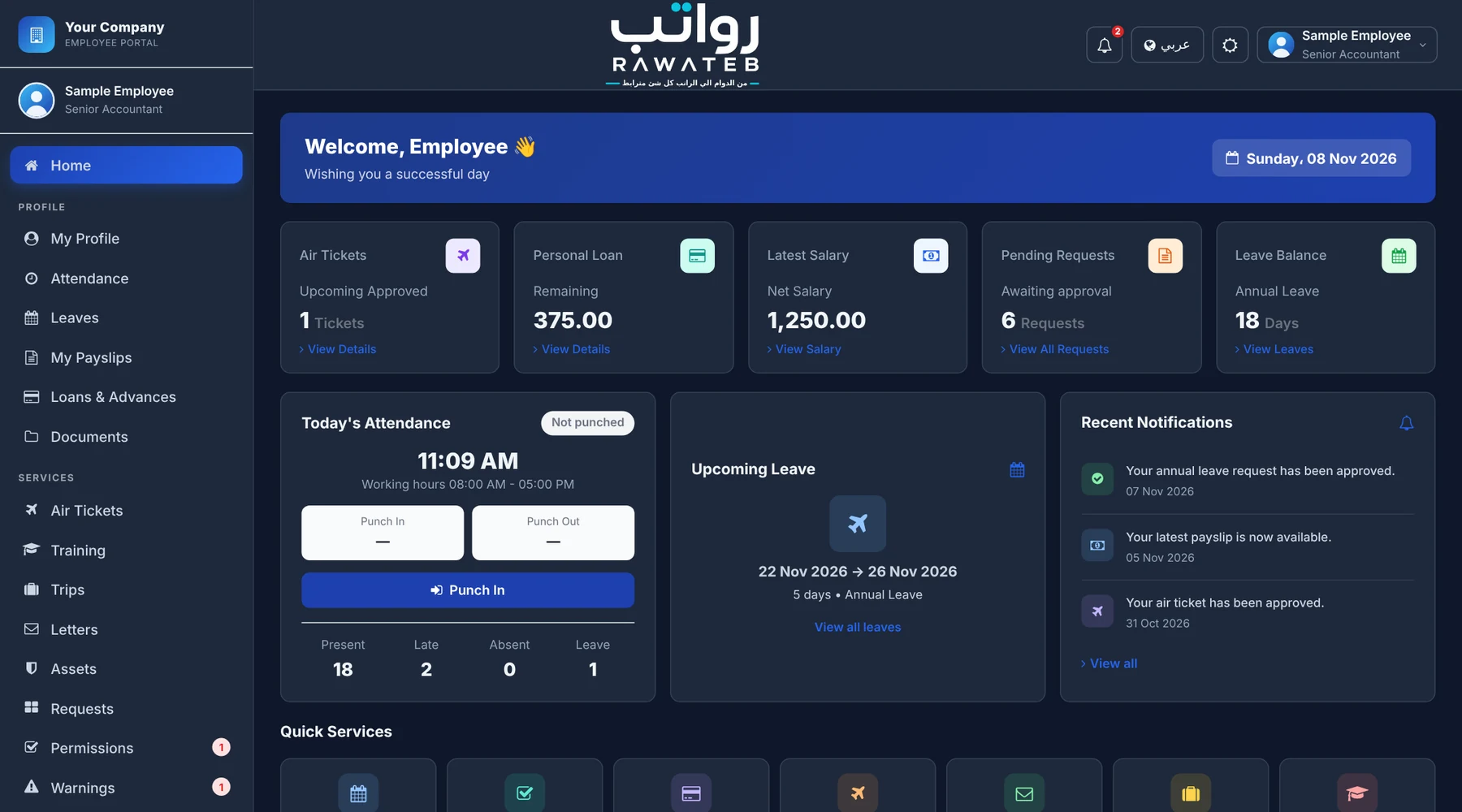
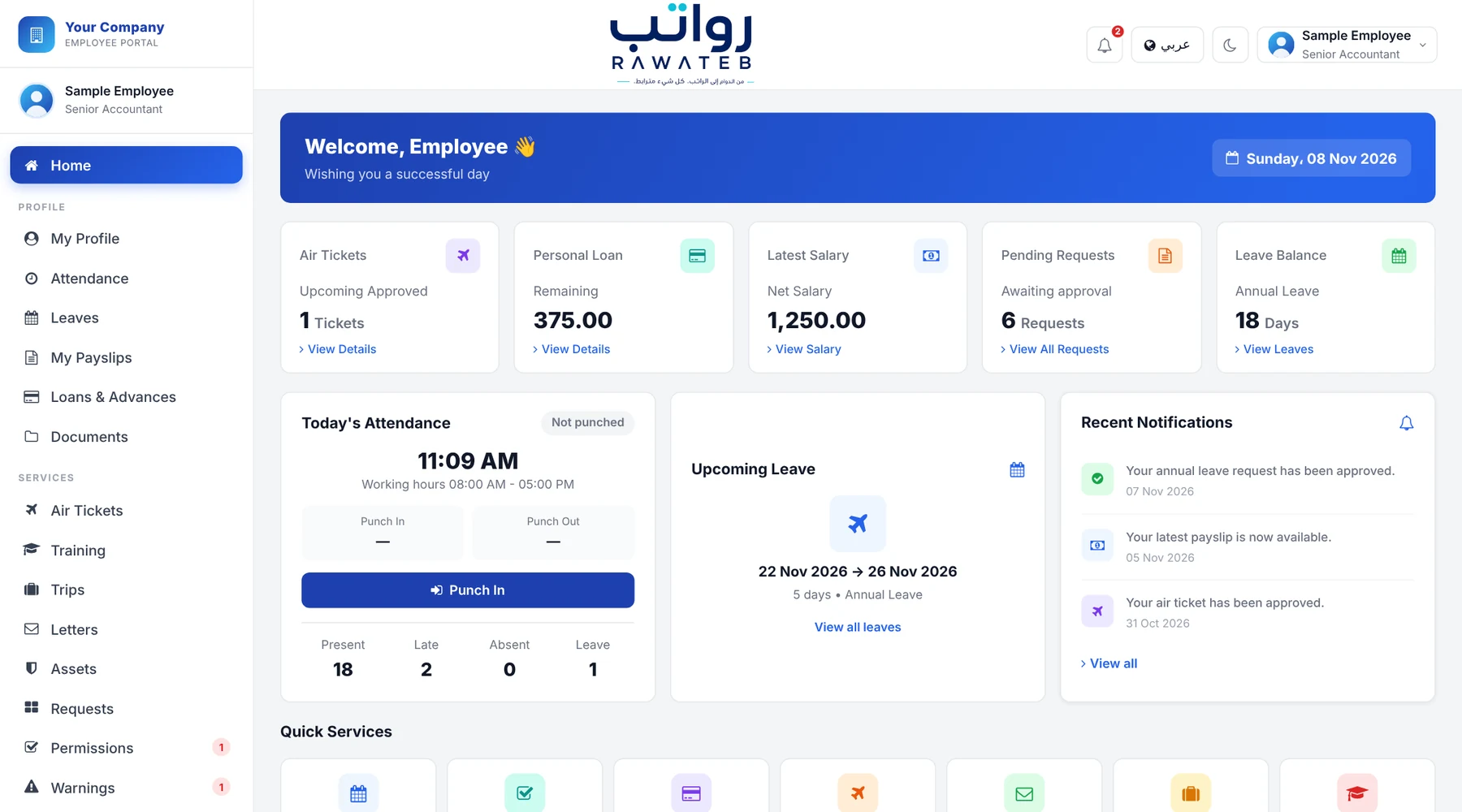
One dashboard for the whole day

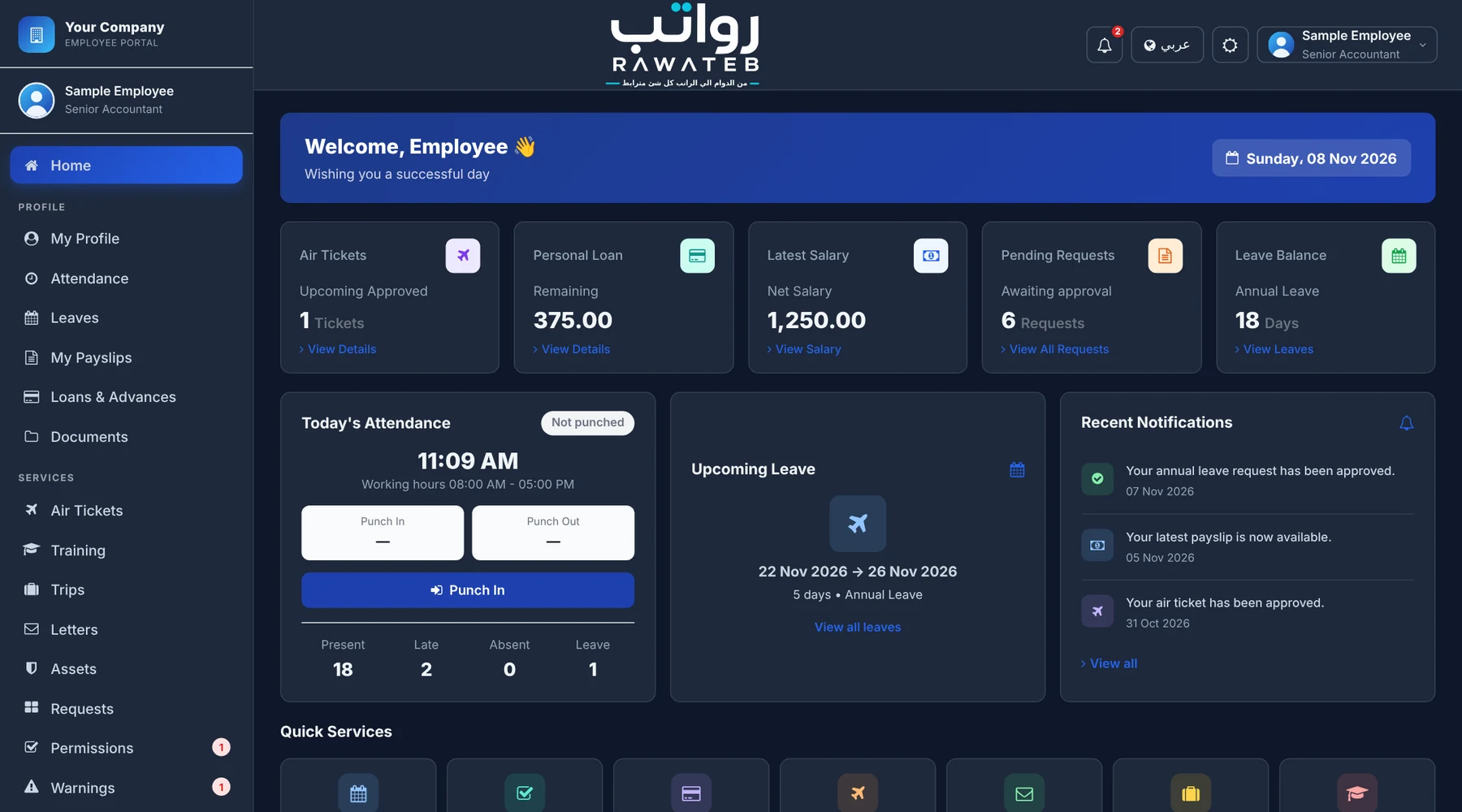
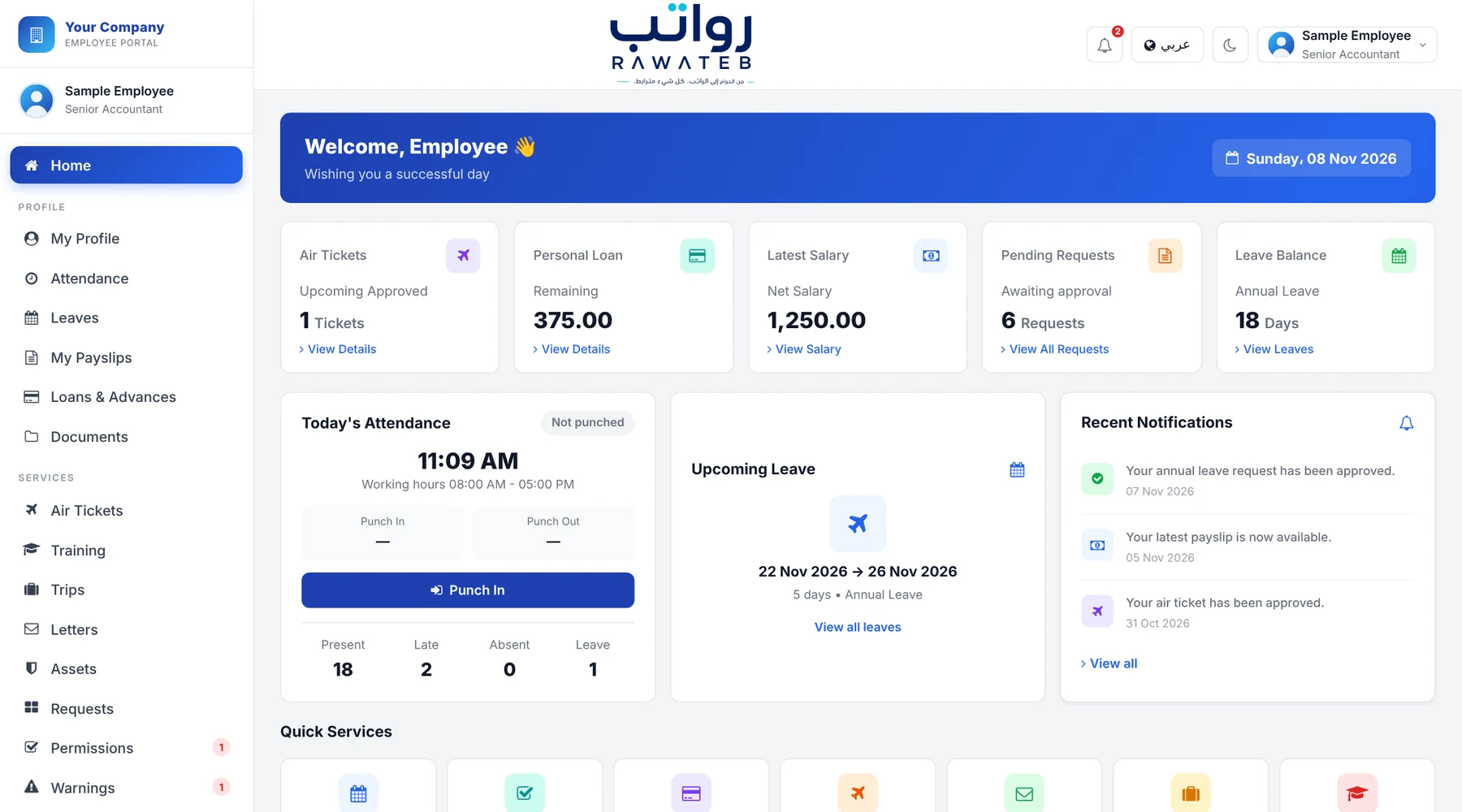
  • Upcoming air tickets, loan balance and latest net salary
  • Pending requests and remaining annual leave
  • Today's attendance with expected check-in and check-out
  • Seven quick-service buttons that open requests directly
One dashboard for the whole day
📅

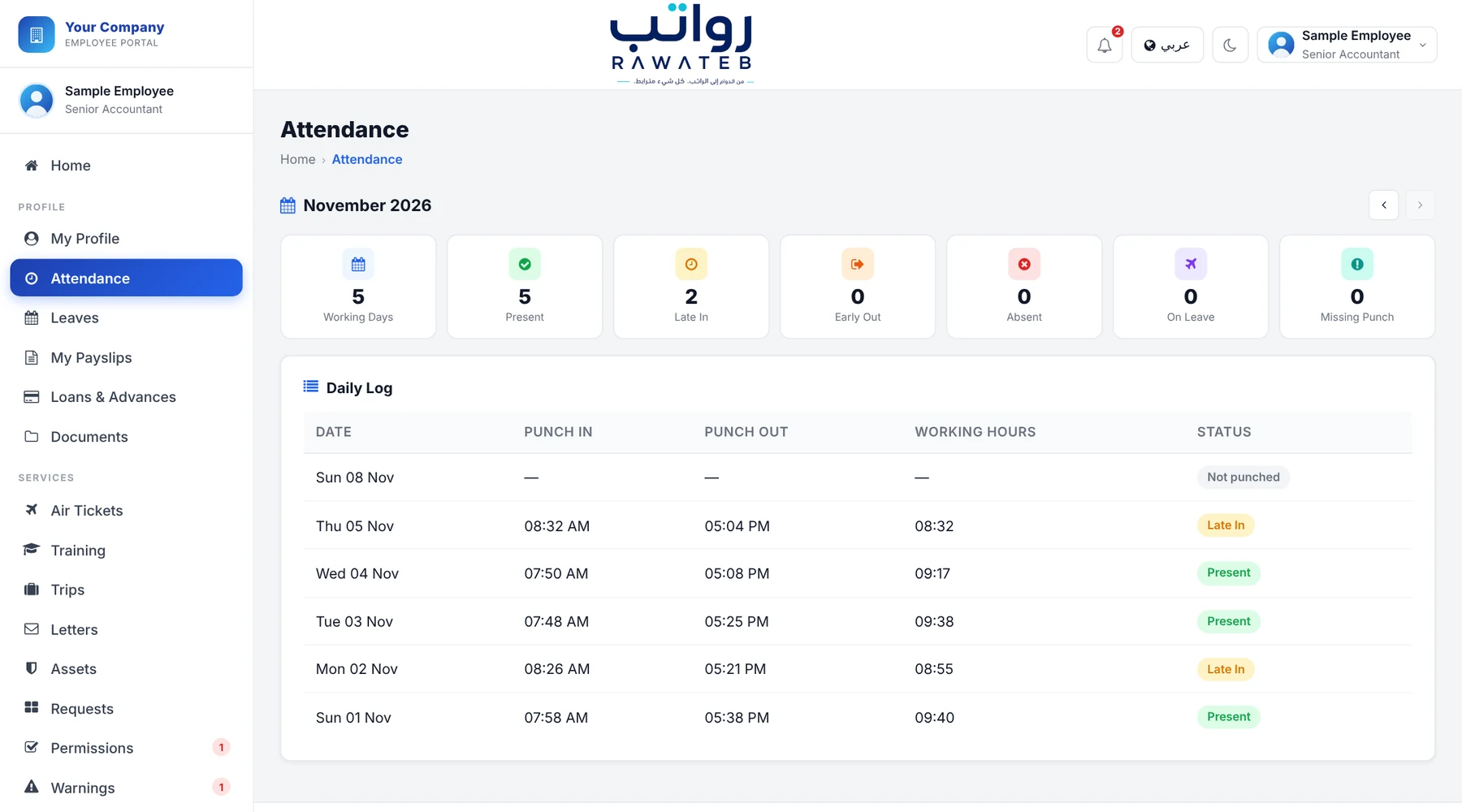
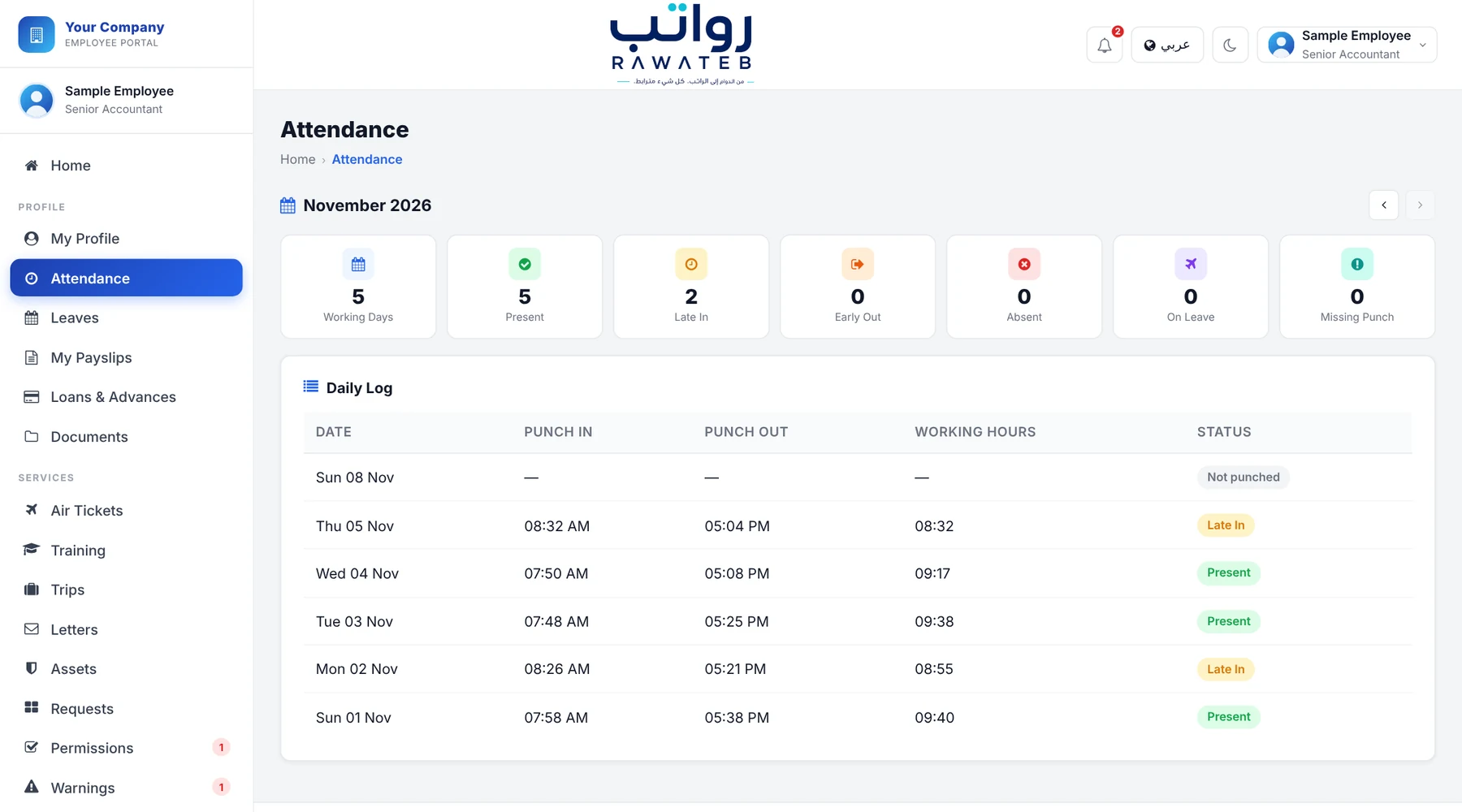
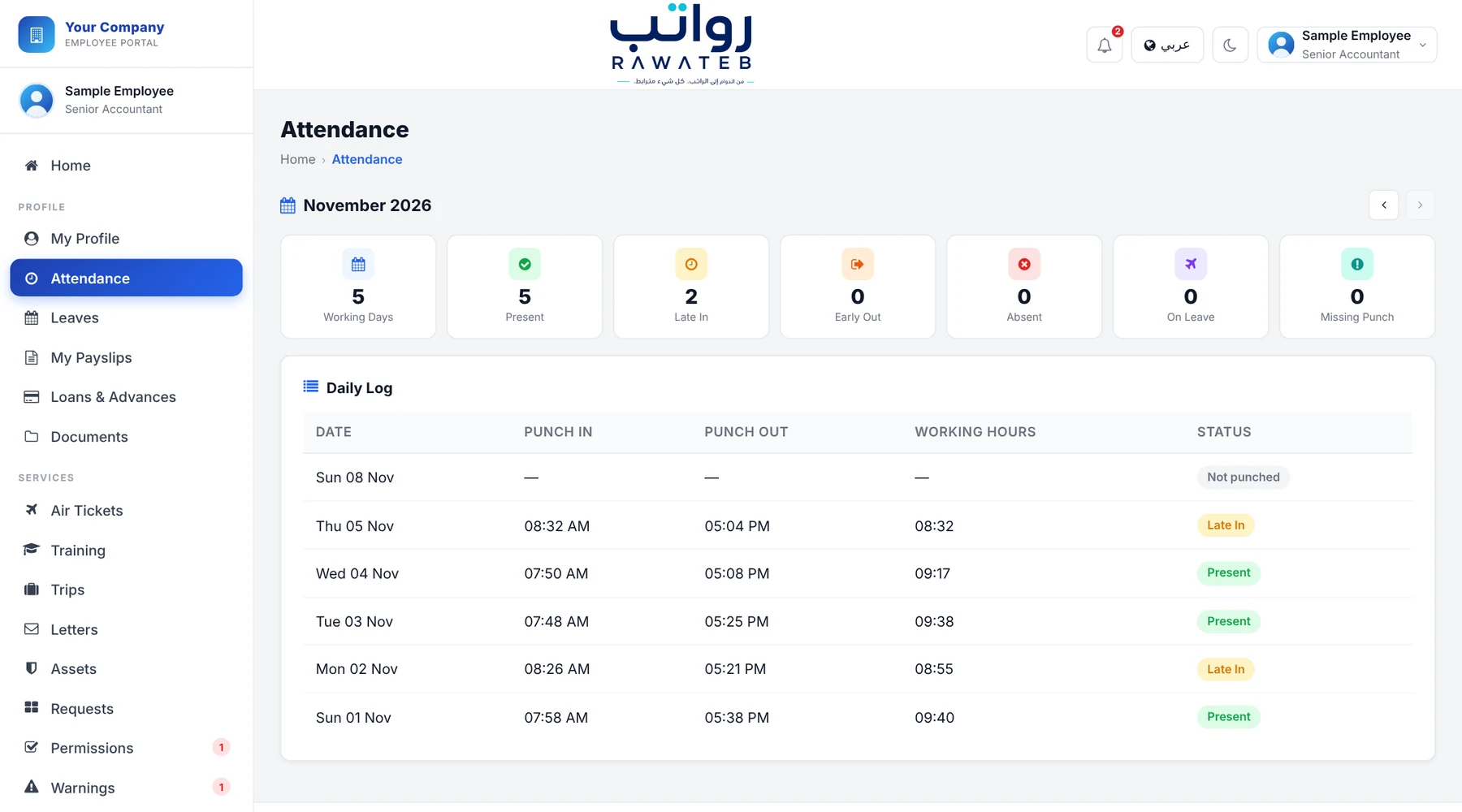
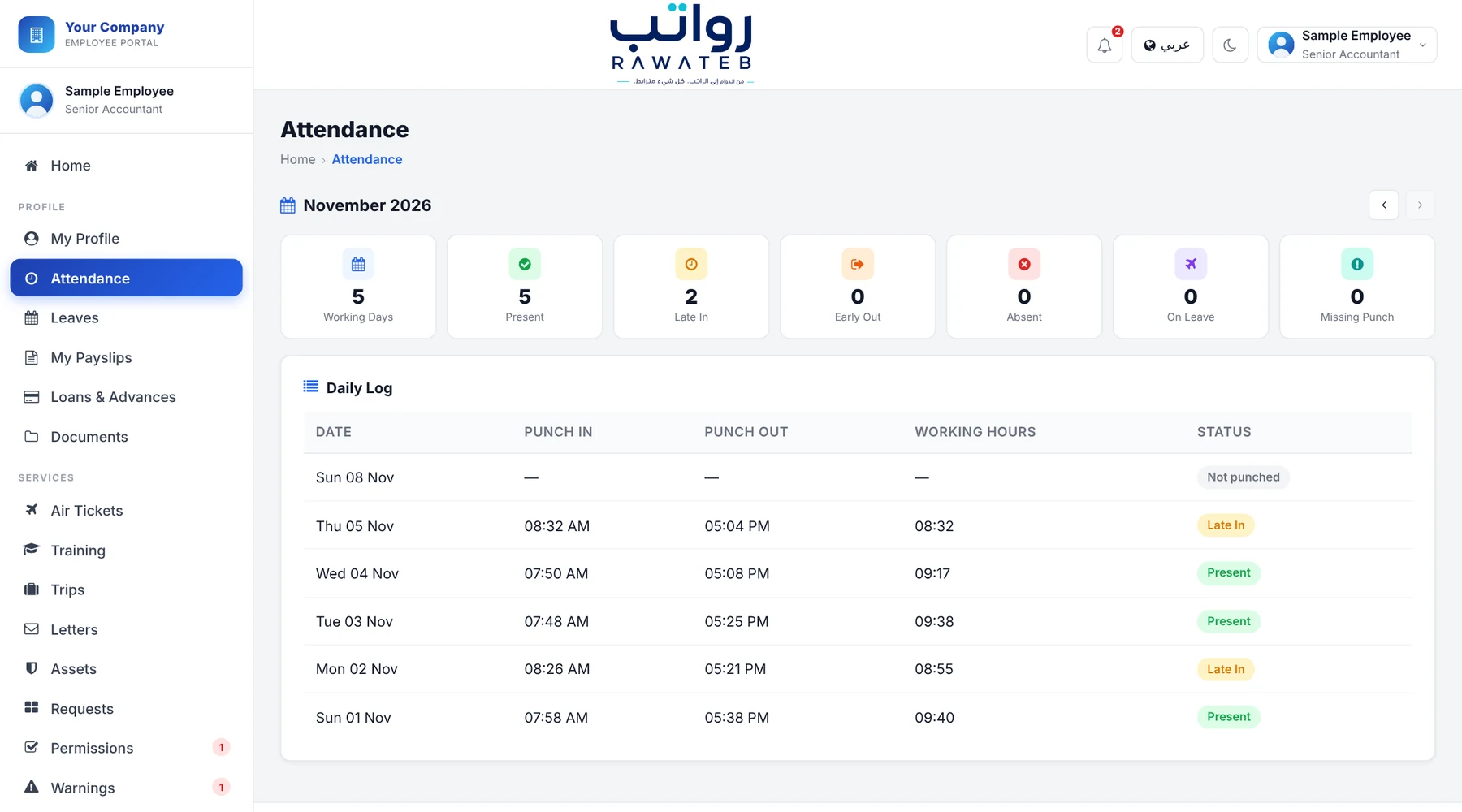
Attendance employees can read at a glance

  • Monthly calendar with check-in and check-out
  • Late and early-departure minutes
  • Expected time taken from the work schedule
  • Status filters and a PDF attendance report
Attendance employees can read at a glance
🏖️

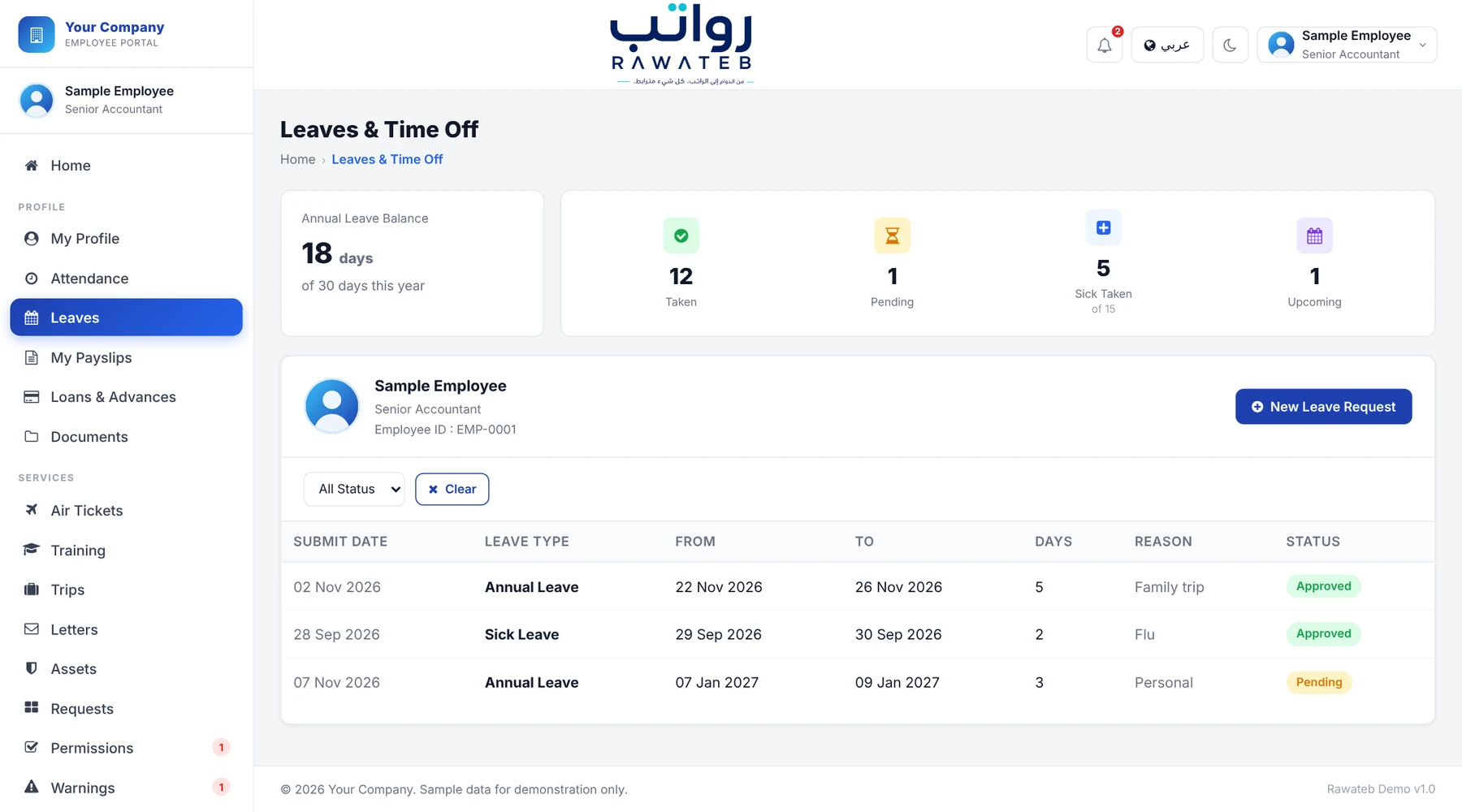
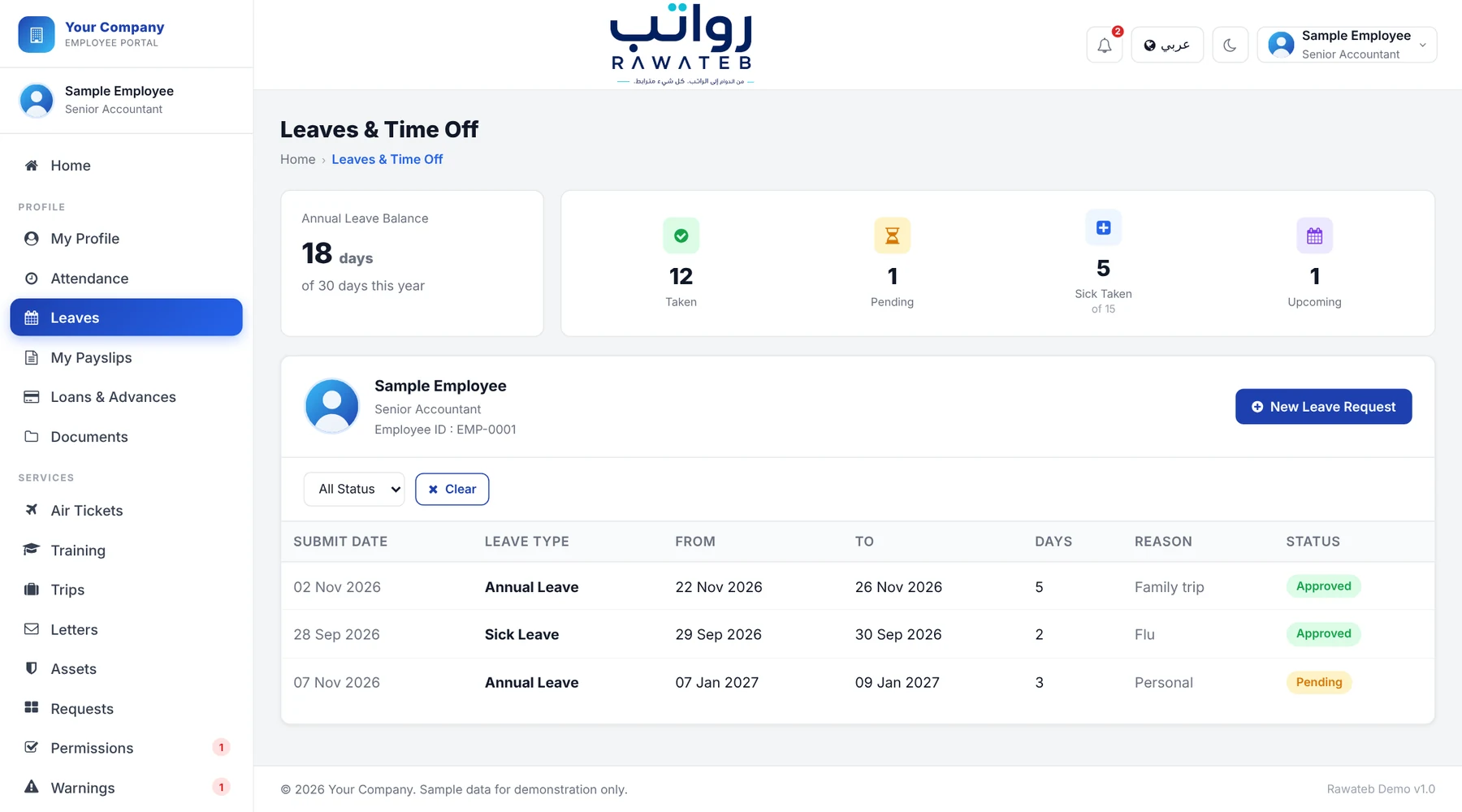
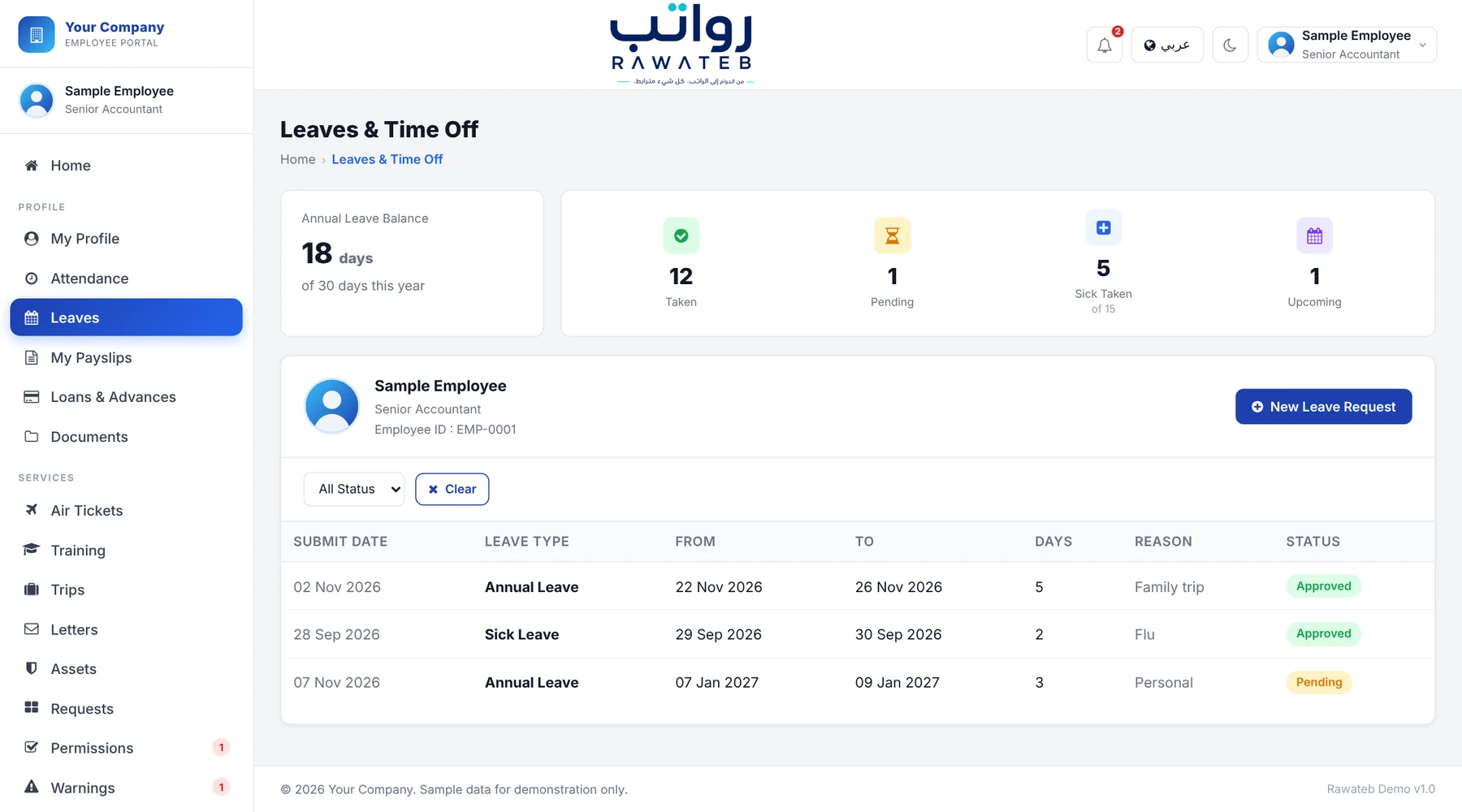
Leave and permissions without the paperwork

  • Leave balance per leave type
  • New leave request in a pop-up
  • Permission requests
  • Full history with status for every request
Leave and permissions without the paperwork
💰

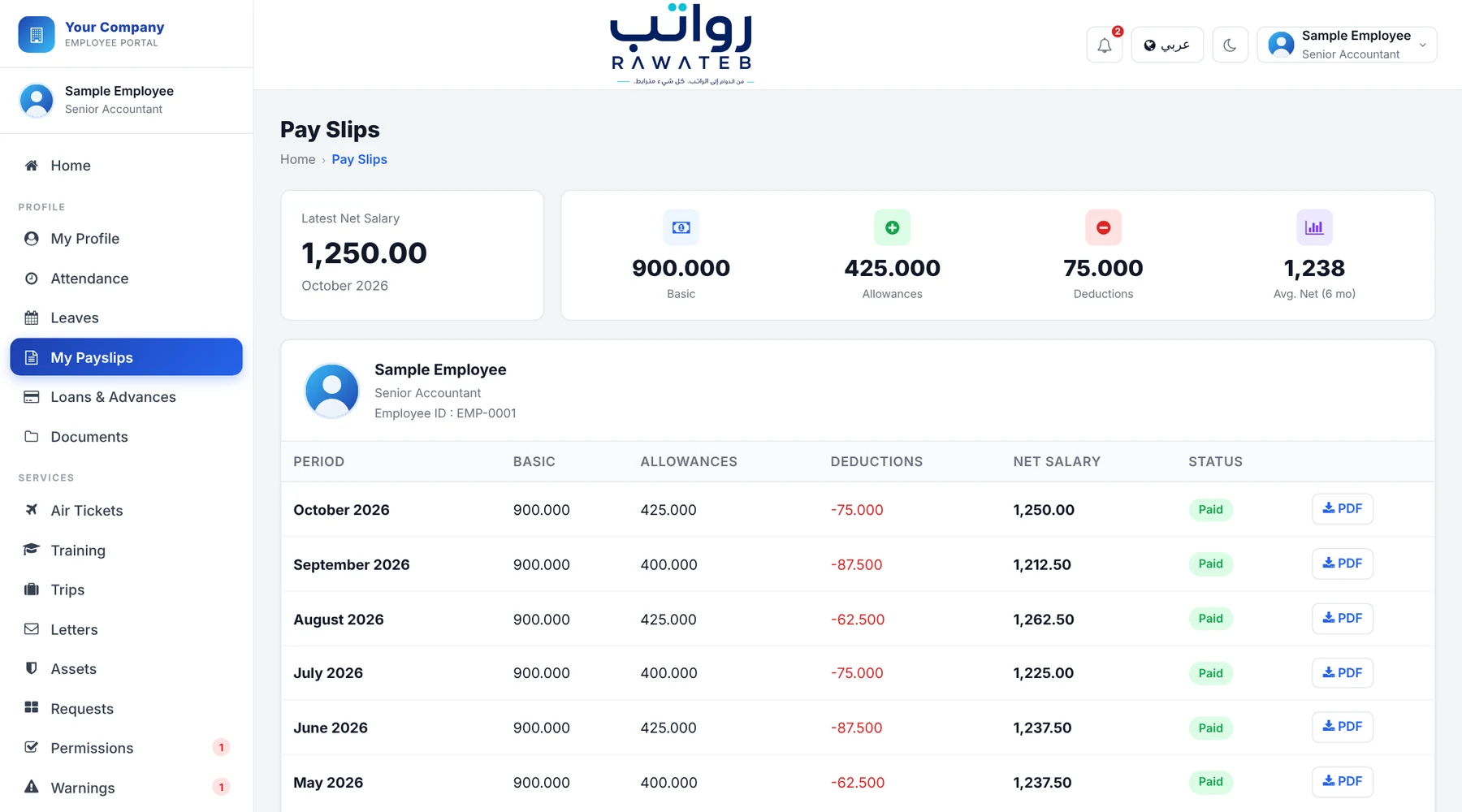
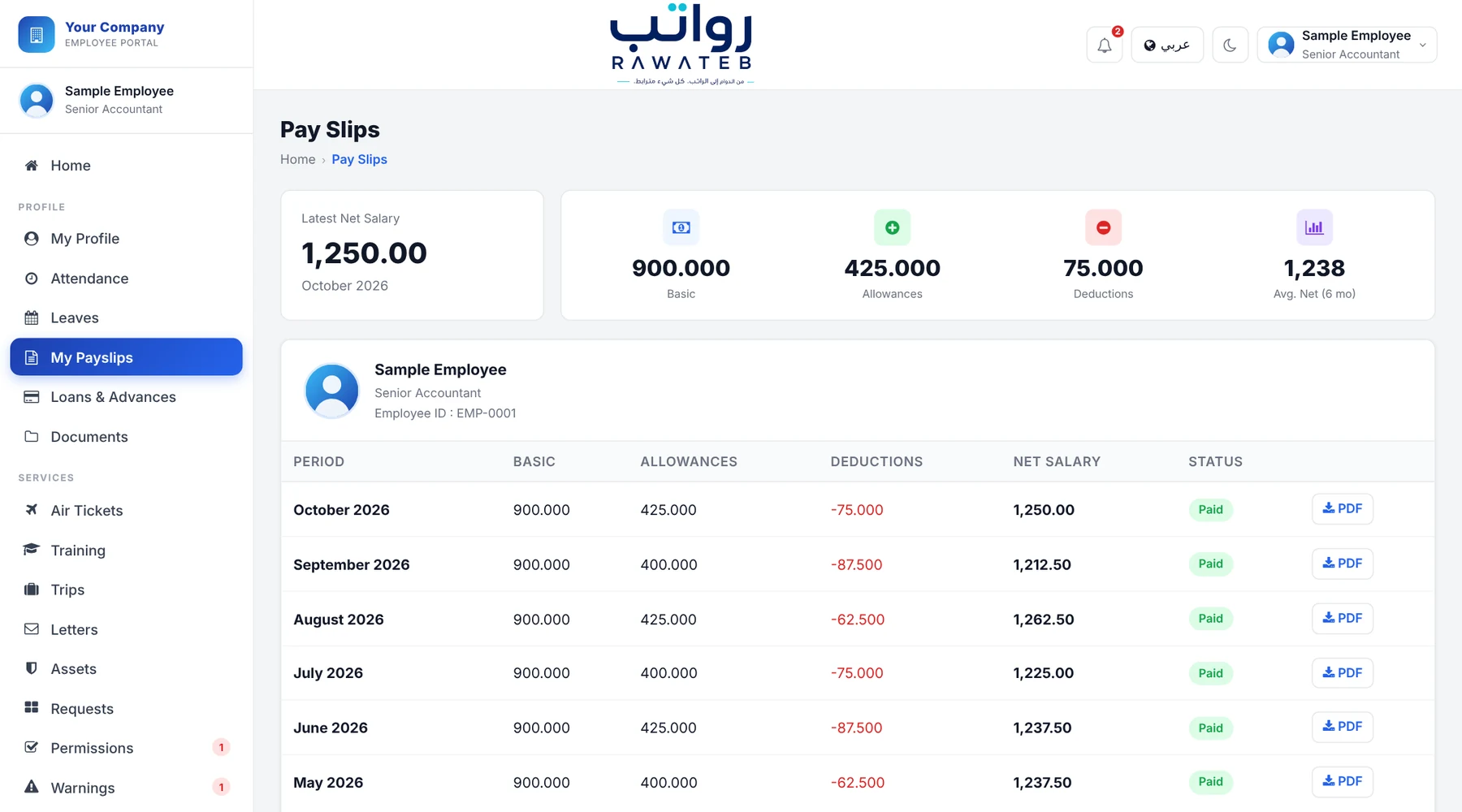
Payslips, loans and salary advances

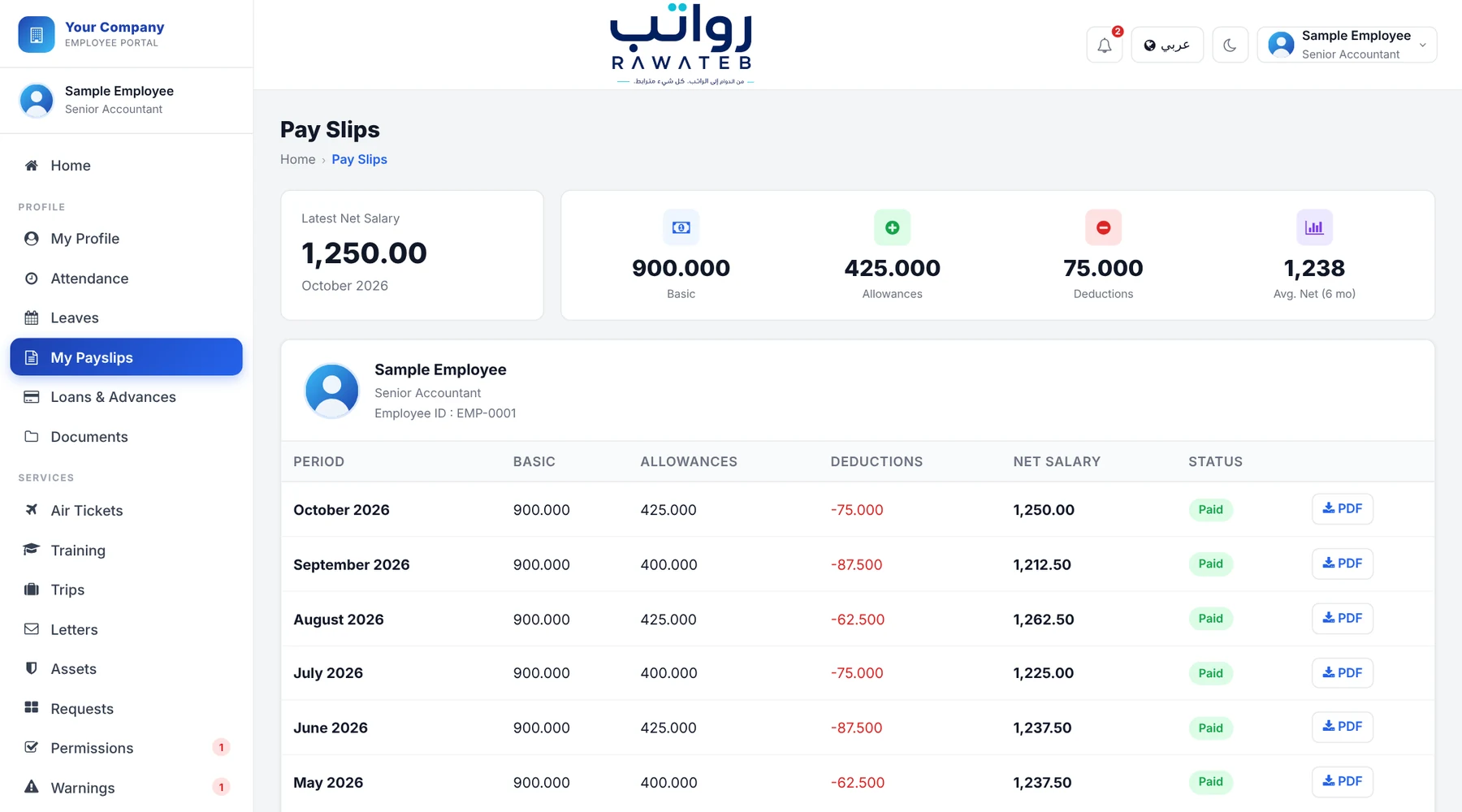
  • Payslips with PDF download
  • Yearly salary summary
  • Personal loan tracking and outstanding balance
  • Salary advance requests
Payslips, loans and salary advances
📝

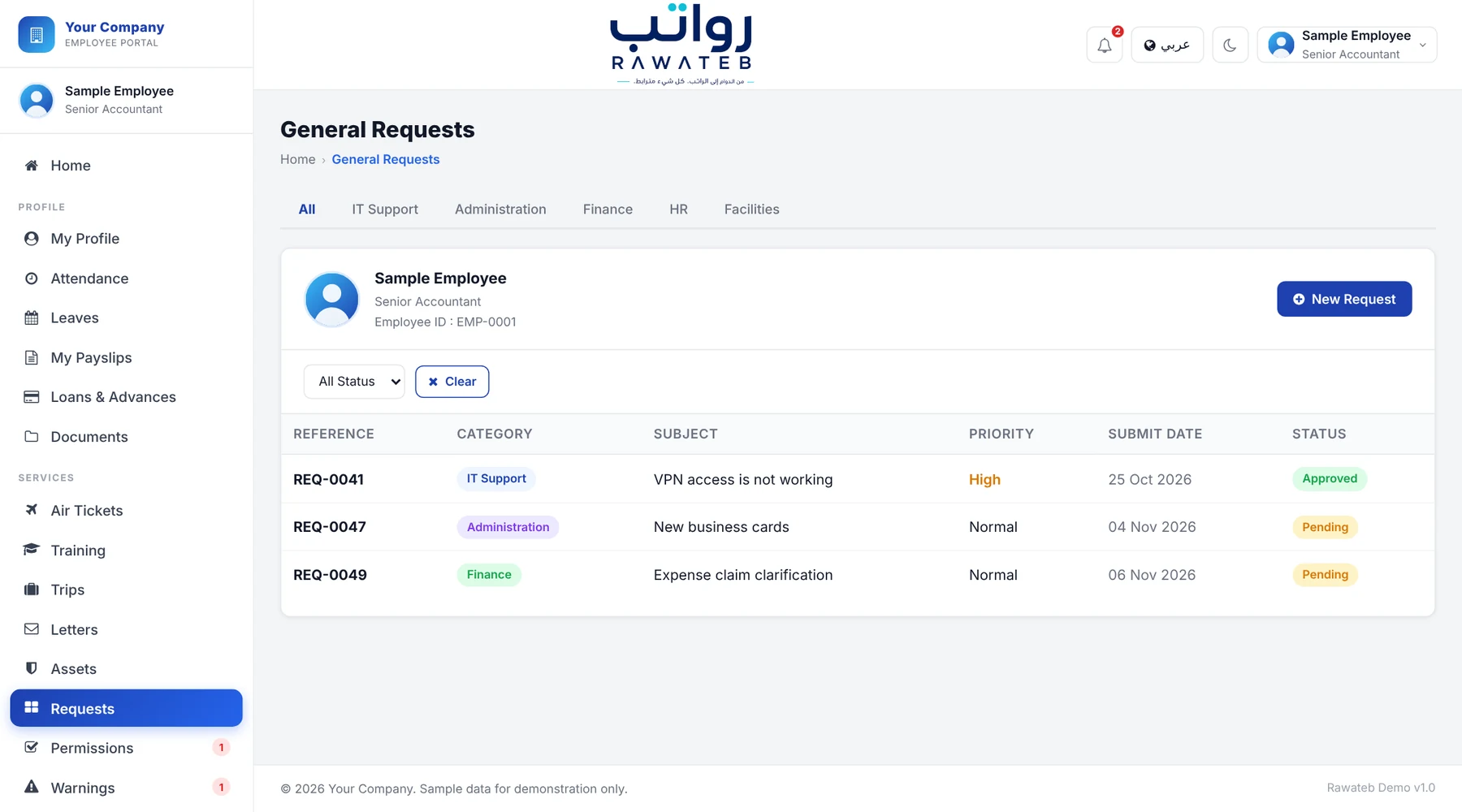
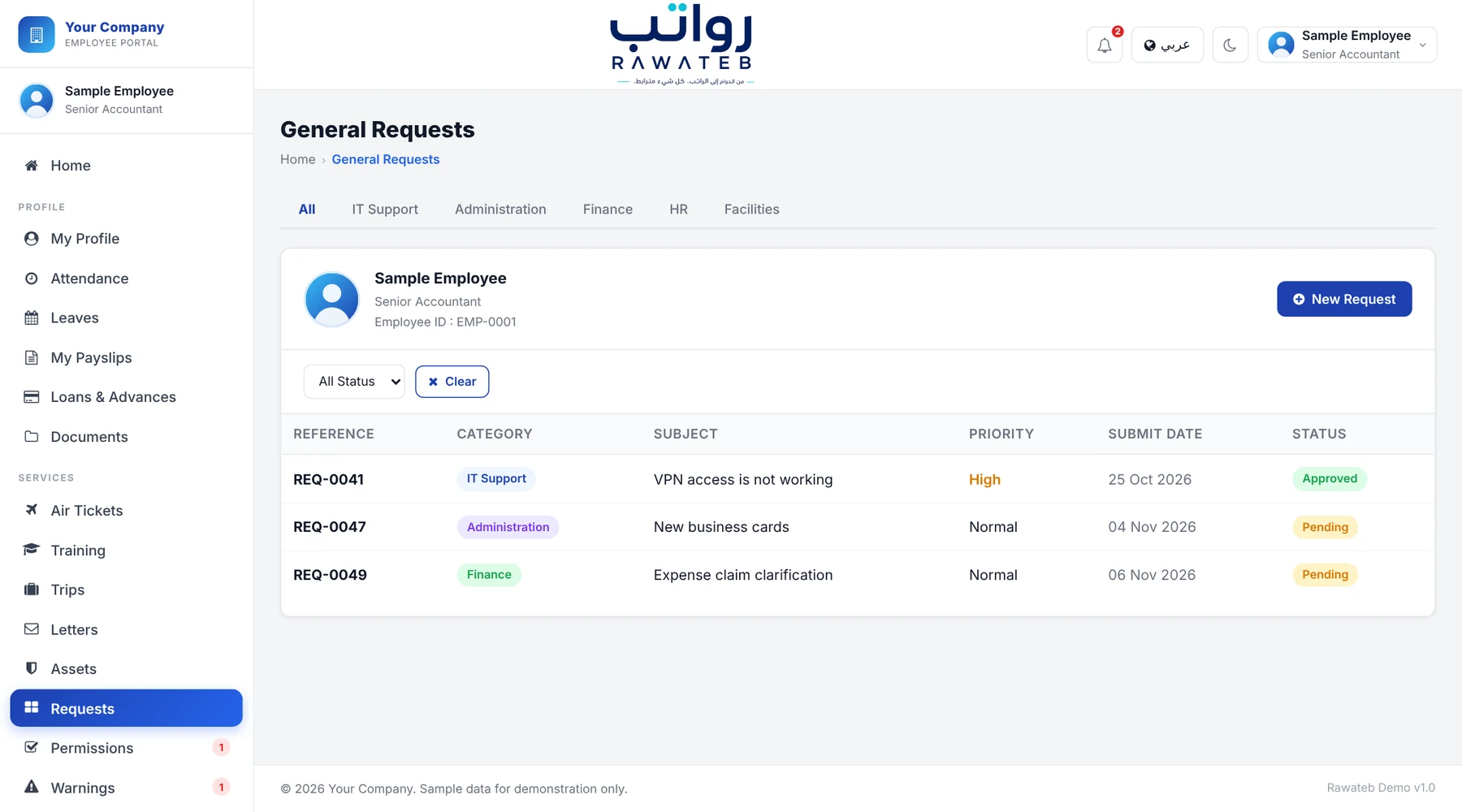
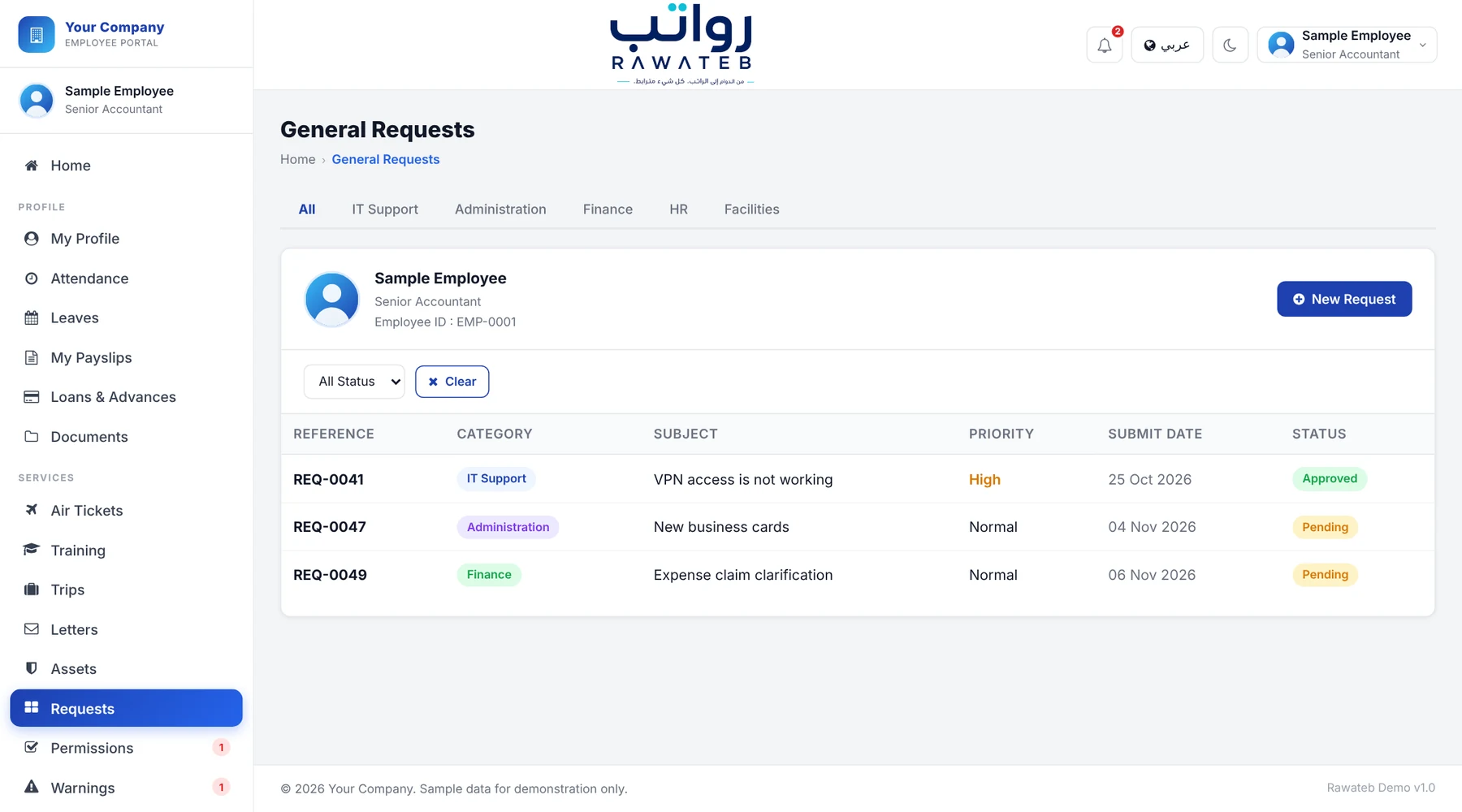
Every HR request in one place

  • Air tickets, training, business trips and letters
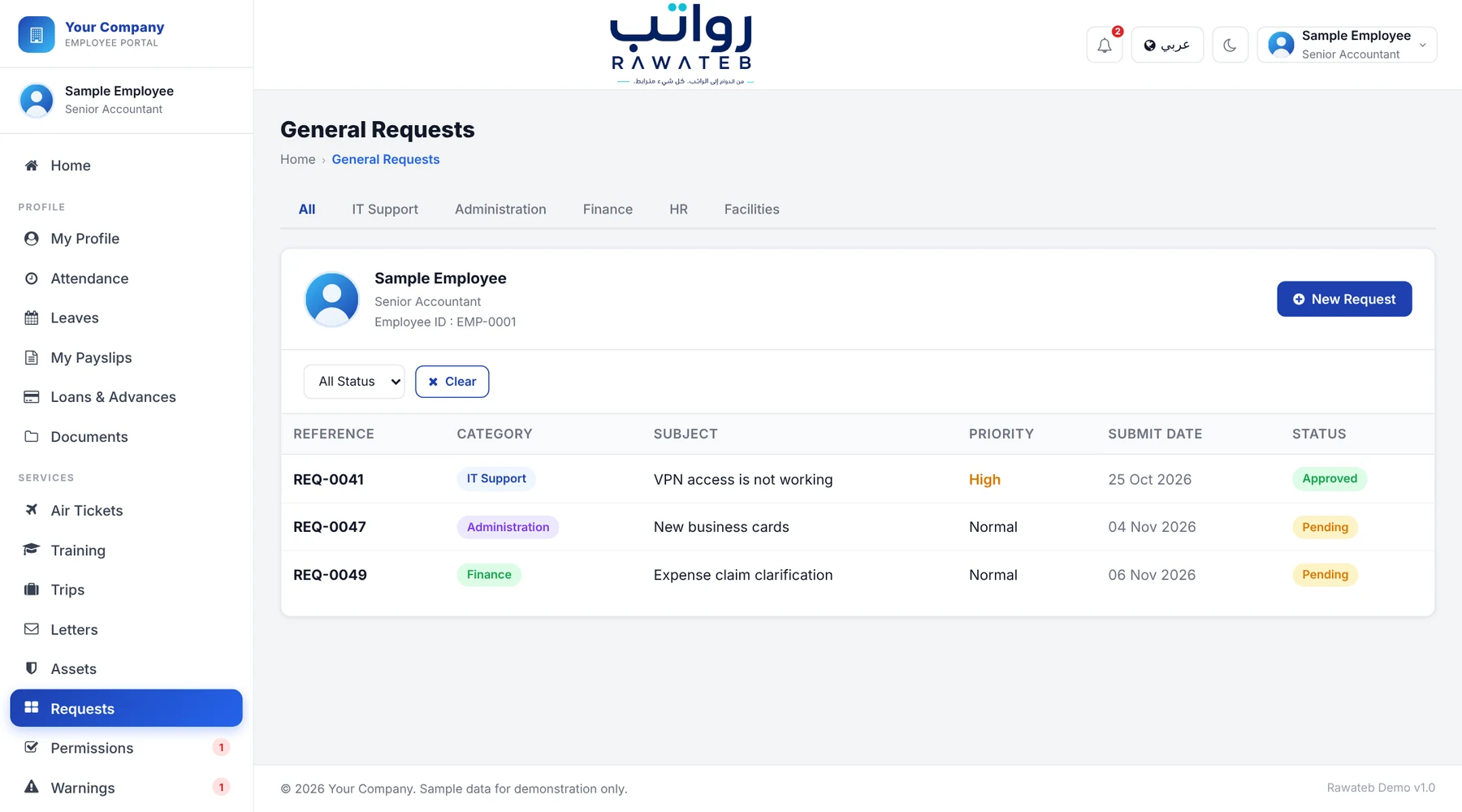
  • Assets, warnings, documents and general requests
  • Approval workflow and status on each request
  • No paper, no waiting
Every HR request in one place
🌙

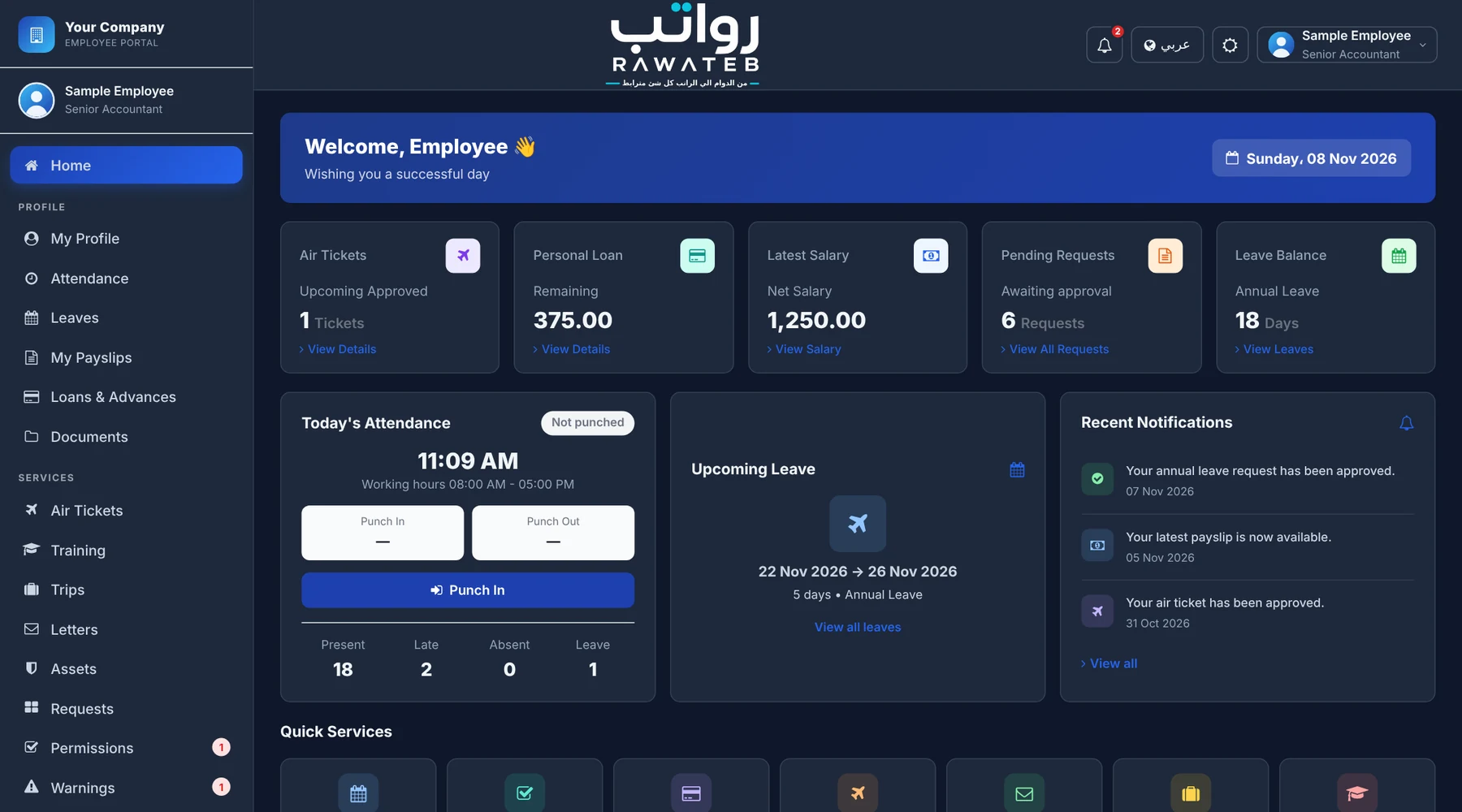
Dark mode and full Arabic support

  • One-click dark and light toggle, remembered per user
  • Every screen and component covered
  • Separate logo for each mode
  • Complete Arabic RTL interface
Dark mode and full Arabic support

And a lot more built in

👤

Employee profile

  • Personal, employment and contract tabs
  • Family and bank information
  • Profile changes go through a request workflow
  • Photo change request and signature support
🔔

Smart notifications

  • Notification badge per section
  • Auto mark-as-read when the page is opened
  • Warning acknowledgement alerts
  • Profile update notifications
⚙️

Portal configuration for HR

  • Set what each company shows in its portal
  • Show or hide any menu item
  • Control dashboard cards and profile fields
  • Mask sensitive data such as CPR and control salary visibility
How it works

From sign-in to approved, in one flow.

01

Sign in to your dashboard

Employees see their balance, attendance and pending requests as soon as they log in.

Sign in to your dashboard
02

Check attendance and leave

The monthly calendar and leave balance answer most questions without calling HR.

Check attendance and leave
03

Submit a request

Leave, permission, letter, loan, training or any custom request type, in a few clicks.

Submit a request
04

Follow the approval

Each request has its own workflow and a visible status: pending, approved or refused.

Follow the approval
05

Download payslips and letters

Payslips, salary letters and reports are one click away, as PDF.

Download payslips and letters
Live demo

Use Rawateb yourself.

Click through the real employee portal: punch in, request leave, check a payslip or apply for a loan. Everything runs on sample data, and nothing is saved.

Rawateb
Rawateb

Sample data only. Try Arabic and dark mode from the top bar.

Who it is for

One portal for everyone in HR.

See what it gives each person in your company.

Employees

Everything personal in one place, on any device.

  • Check attendance, leave balance and payslips
  • Submit leave, permission, letter and loan requests
  • Track every request until it is approved
  • Update profile details through a request
See it in a demo

HR team

Fewer questions and fewer papers to chase.

  • Requests arrive digitally with the workflow already attached
  • Document expiry dates tracked in one list
  • Warnings acknowledged by the employee in the portal
  • Notifications per section keep nothing waiting
See it in a demo

Managers

See who is in and what is waiting.

  • Attendance with late and early minutes
  • Pending requests count on the dashboard
  • Upcoming leave at a glance
See it in a demo

Administrators

Decide what each company exposes.

  • Per-company portal configuration
  • Show or hide any menu item
  • Mask sensitive data and control salary visibility
  • Separate logos and theme colour per mode
See it in a demo
Add-ons and integrations

Grow it the way you grow.

Extend the core platform with connected modules and services.

🗂️

Org chart

See reporting lines visualised from the employee profile.

✍️

Employee signature

Capture and store the employee signature for use in documents and acknowledgements.

⚠️

Warning acknowledgement

Employees acknowledge warnings in the portal, with auto-signature support.

🖥️

Asset assignment

Employees request assets and see the ones assigned to them with their status.

📁

Document expiry tracking

View, upload and track documents with their expiry dates.

🏢

Multi-company

Run a separate portal configuration for each company in the group.

🧾

PDF reports

Attendance report, payslips and salary or employment letters as PDF.

Specifications

The full picture.

Everything the platform supports, grouped by area. Open a group to see the details.
Platform
Delivery
Web portal, works in any modern browser
Mobile
Mobile-friendly layout
Languages
English and Arabic (full RTL)
Appearance
Light and dark mode, saved per user; custom theme colour per user
Companies
Multi-company, with portal configuration per company
Employee services
Profile
Personal, employment, contract, family and bank information
Attendance
Calendar, late and early minutes, PDF report
Leave
Balances per type, requests, permissions, history
Payroll
Payslips with PDF, yearly summary, loans, salary advances
Requests
Air tickets, training, business trips, letters, assets, warnings, documents, custom types
Control and privacy
Menus and cards
Show or hide menu items, dashboard cards and profile fields
Sensitive data
Mask CPR; control salary information
Notifications
Per-section badges, auto mark-as-read, warning acknowledgement
Included
Org chartEmployee signatureAsset assignmentDocument expiry trackingPDF reports
Screens

See the real interface.

Dashboard
Dashboard
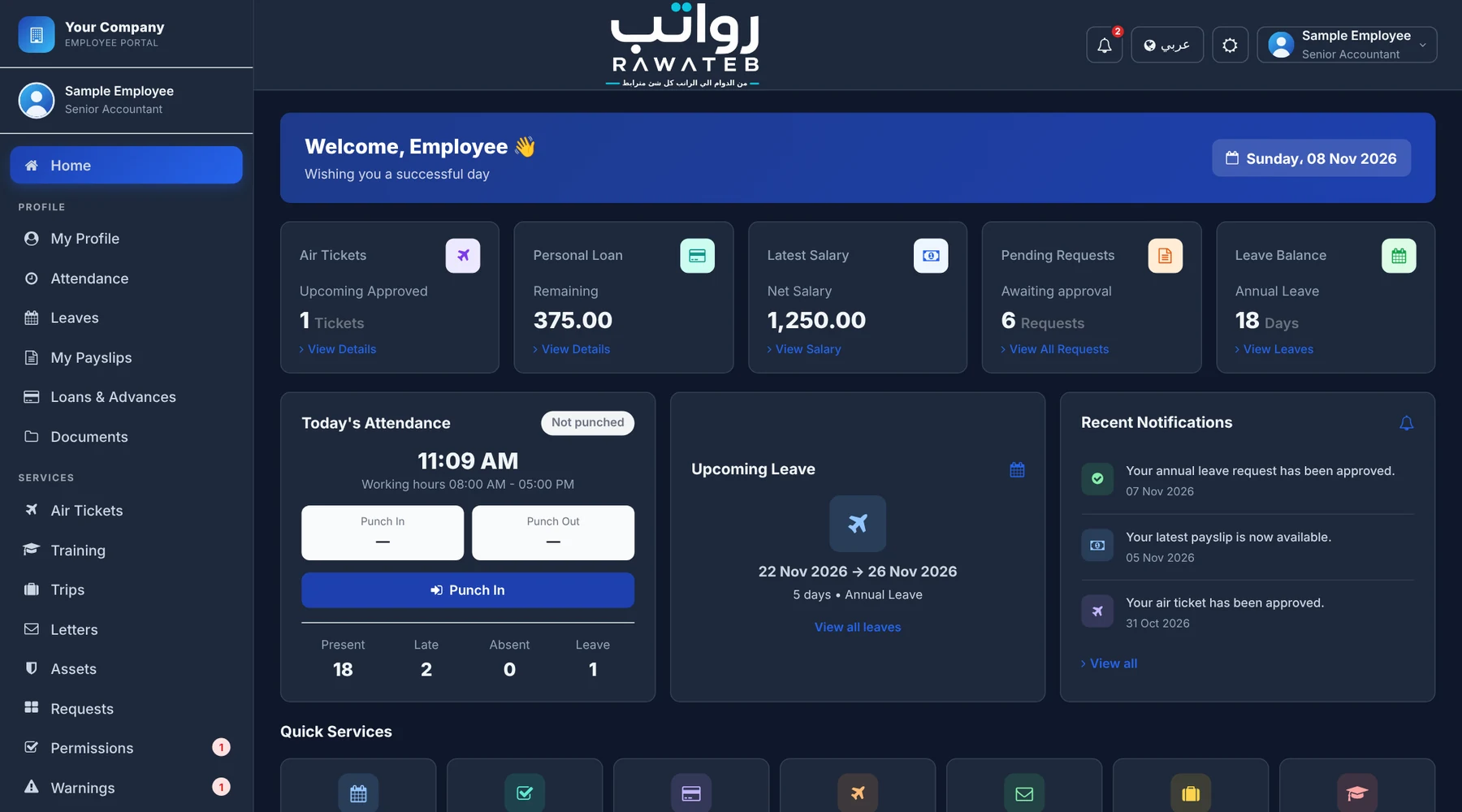
Dashboard in dark mode
Attendance calendar and summary
Payslips and yearly summary
Leave balance and history
HR requests
HR requests
FAQ

Questions we hear often.

Is Rawateb available in Arabic?

Yes. The whole interface has a complete Arabic right-to-left version alongside English.

Can employees change their own profile?

They can request changes. The update goes through an approval workflow, so HR stays in control of the record.

Can we choose what employees see?

Yes. Each company has its own portal configuration: menu items, dashboard cards and profile fields can be shown or hidden, and sensitive data such as CPR can be masked.

Does it support more than one company?

Yes. Rawateb is multi-company and each company keeps its own portal configuration.

Which requests can employees submit?

Leave, permission, loan, salary advance, air ticket, training, business trip, letter and asset requests, plus custom request types. Each one has its own approval workflow and status.

Does it work on a phone?

Yes. The portal is mobile-friendly and also offers a dark mode.

See Rawateb running in your business.

Book a short demo. We will show you the real system, set up around the way you work.